AG-UI
AG UI Protocol
Overview
The Agent User Interaction Protocol (AG-UI) standardizes the connection of frontend applications with AI agents through an open protocol. You can think of AG-UI as a universal translator for AI-driven systems.
Architecture of the AG-UI Protocol
The Agent User Interaction Protocol (AG-UI) uses a flexible and event-driven architecture that enables efficient communication between frontend applications and AI agents.
AG-UI follows a client-server architecture that standardizes communication between AI agents and an application. The following figure shows the architecture.
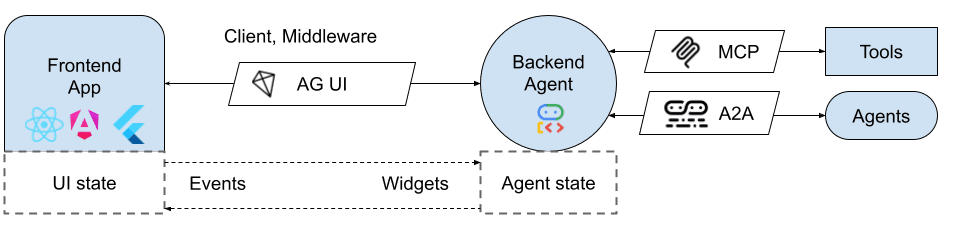
- Application: Chatbot or another AI application
- AG-UI Client: Generic communication clients or specialized clients for - connecting with existing protocols
- Agents: AI agents that process requests and generate streaming responses
- Secure Proxy: Backend services that provide additional capabilities
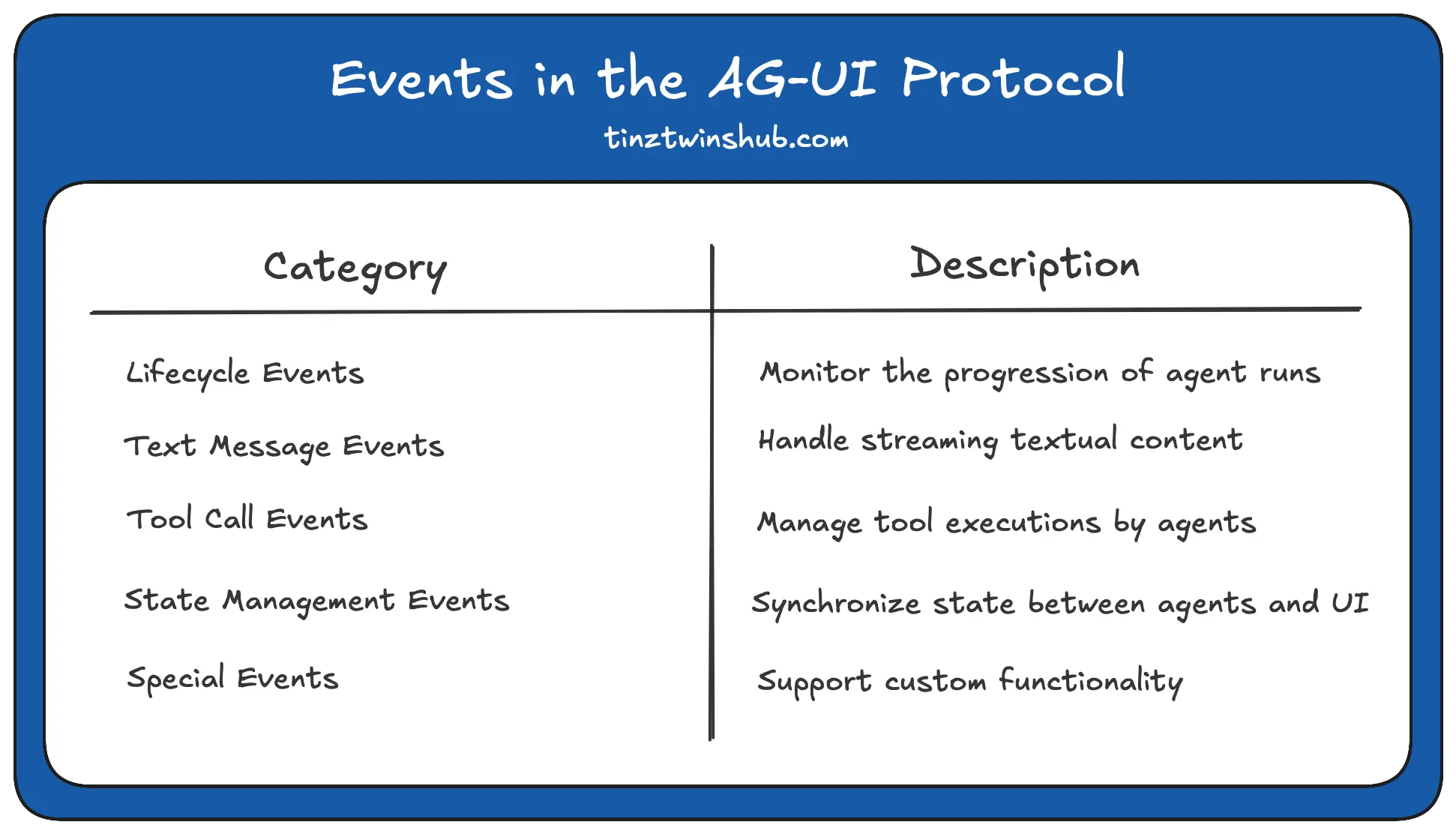
Events in the AG-UI Protocol
In the AG-UI protocol, events are the fundamental communication unit between AI agents and frontend apps, enabling structured interaction in real-time.
The events can be divided into different categories. Here is an overview:
Comparison with other protocols
AG-UI focuses on the interaction between the agent and the user. Together with the A2A (Agent-to-Agent Protocol) and MCP (Model Context Protocol), it forms a solid protocol stack.
The Agent Protocol Stack 🔥
- MCP connects agents to tools.
- A2A enables agents to communicate with other agents.
- AG-UI connects agents to users
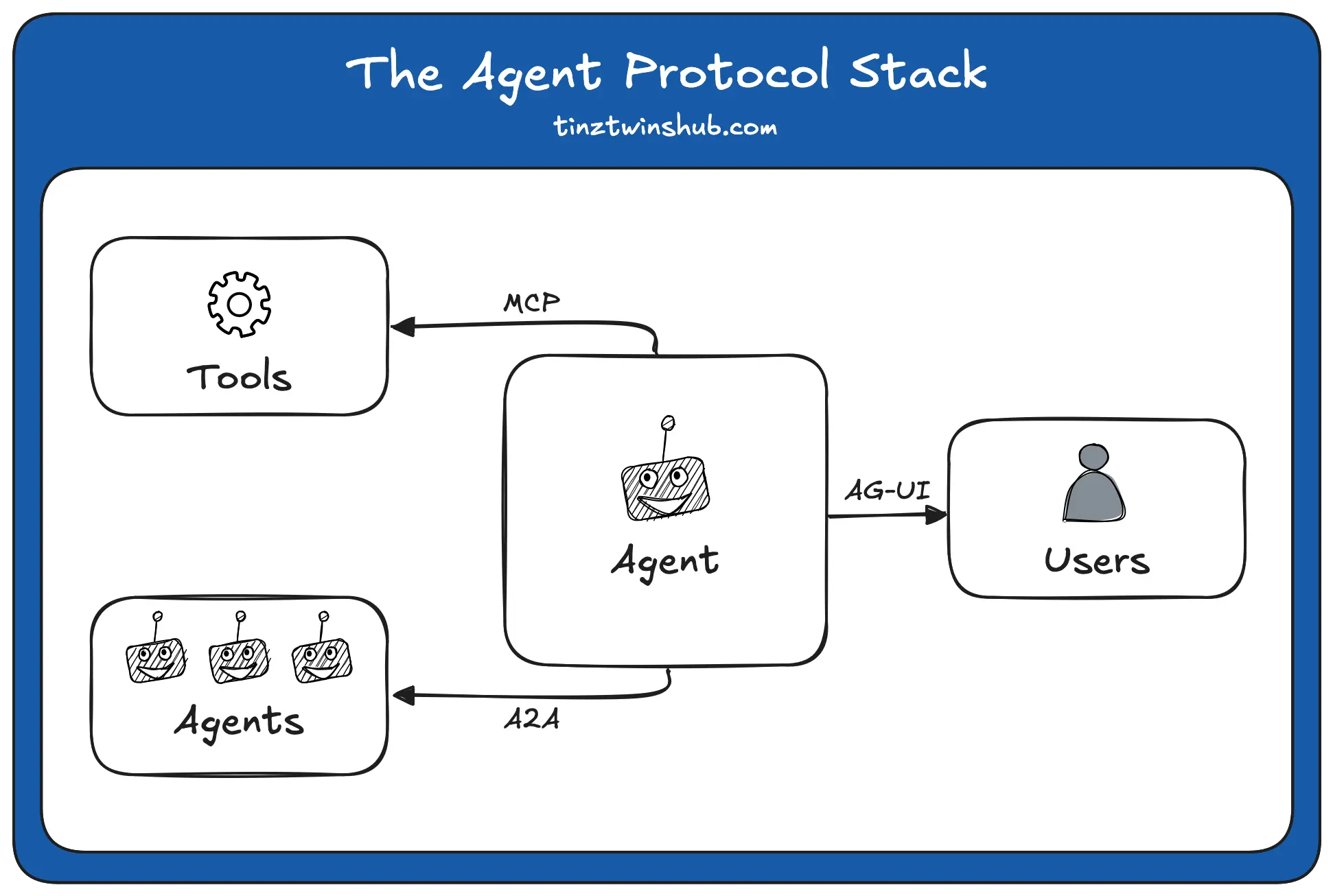
For example, the same agent can communicate with another agent via A2A while interacting with the user through AG-UI and simultaneously calling tools provided by an MCP server.
AG-UI is just one piece of the puzzle. It is an important part of the new Agent Protocol Stack, along with the Model Context Protocol (MCP) for connecting tools and the Agent-to-Agent (A2A) protocol for communication between agents.
Testing
turbo run console#dev
# Opens http://localhost:3000/playground/weather
Try these interactions:
- "Add a proverb about AI"
- "Set the theme to orange"
- "Get the weather in San Francisco"
- "Remove the first proverb"
Reference
- How to Expose Your Agno Agent as an AG-UI Compatible App
- Build a Fullstack Stock Portfolio Agent with LangGraph and AG-UI
- google ADK with AG-UI
TODO
How is this guide?
Last updated on